By MINT-SmartLab Graz · Updated on 12 November 2026
The name sounds like a child prodigy, but it is actually a construction kit: Robo Wunderkind is a modular robot set for children. It was developed for getting started with robotics and programming without having to type any text. In this article we explain what the set consists of, how children program with it, which basic ideas they understand along the way and how we use it in our robotics course for 6- to 8-year-olds.
What is Robo Wunderkind?
Robo Wunderkind consists of colour-coded blocks that children snap together to form a robot. The centrepiece is the main block: it contains the microcontroller (the “brain”), the battery, a speaker and the Bluetooth connection to the app on the tablet. Further modules are connected to it. According to the manufacturer, the robot can be built in a few minutes, and the blocks can be combined with other bricks. A review by Tom’s Hardware also mentions compatibility with LEGO bricks via adapters.
The modules and what they do
- Motors: The test sets include “Smart Motors” with encoders that can measure how far they have turned. This tells the robot how far it has driven.
- RGB light: Four coloured LEDs that can glow in many colours.
- Distance sensor: An ultrasonic sensor that measures the distance to obstacles.
- Button: A button that starts the program or triggers an action.
- Optional modules: Depending on the set, there is for example a light sensor, a line follower, a motion or acceleration sensor and an LED display.
How do children program with it?
According to the manufacturer, the free Robo Wunderkind app offers three levels that grow with the child’s age:
| Level | From age | How it works |
|---|---|---|
| Robo Live | 5+ | The robot is remote-controlled directly. Children see immediately what happens. |
| Robo Code | 6+ | Programming with symbols by drag and drop. The colours of the symbols match the modules. |
| Robo Blocky | 8+ | Block programming in the style of Scratch (Blockly) with loops, variables and conditions. |
For advanced users there are also text-based options according to the review (a Python interface and an Arduino library). This way a child can keep learning with the same robot if they want more. The app is available in German and English.

The concept of robotics: sensor, program, actuator
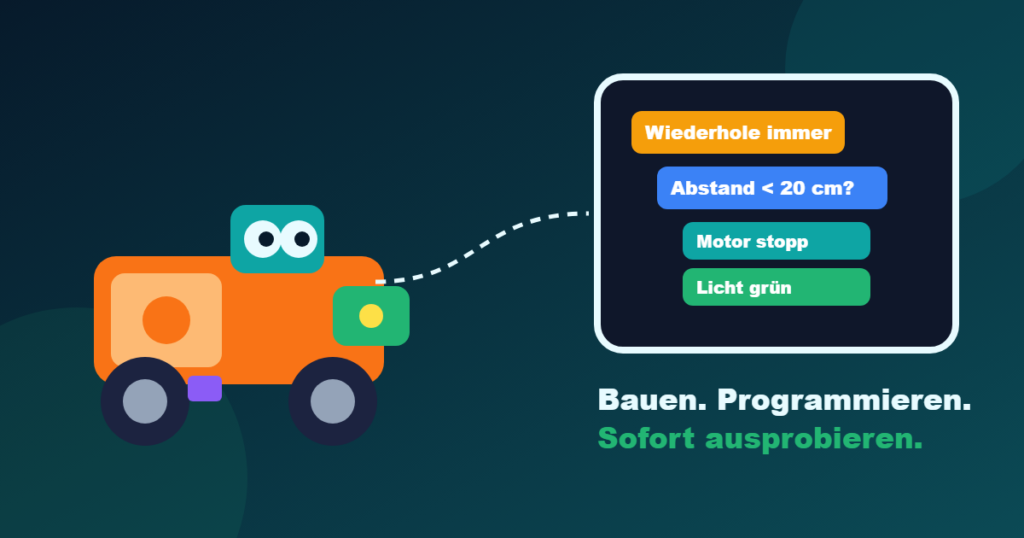
What is a robot, anyway? A machine that sensesits environment, based on a program decides and then acts. Children experience this principle directly with the set:
When a child attaches the distance sensor and programs the robot to stop in front of a wall, they have built this principle themselves. Along the way they get to know the basic building blocks of every programming language:
- Sequence: Commands run one after another. The order matters.
- Loop: Something repeats without having to write it several times.
- Condition: “If … then … else …” The robot reacts to its environment.
- Event: A button press starts the program.
How our robotics course works (ages 6 to 8)
- Session 1: What is robotics, what is programming? The robot drives forward, the light goes on and off, there are sounds.
- Session 2: Right and left movement. The light changes with the direction.
- Sessions 3 and 4: Block programming with a fixed order, like in a real programming language.
- To finish: The robot steers itself using sensors, for example it follows a line or avoids obstacles.
We come to your school or after-school care with a trainer, robot kits and iPads. Two children work on each kit so that everyone builds and programs. You will find all the details on the page Robotics for children aged 6 to 8.
If your school would like to try out robotics: Write to us for a free initial consultation.
Frequently asked questions
What is Robo Wunderkind?
A modular robot set with colour-coded blocks. Children snap the robot together and program it via an app with symbols or code blocks.
From what age is Robo Wunderkind suitable?
The manufacturer lists levels from age 5 (Robo Live), from age 6 (Robo Code) and from age 8 (Robo Blocky). Our course is aimed at children from 6 to 8 years old.
Does my child already need to know how to program?
No. No prior knowledge is needed, the course starts with the basics.
Sources: Tom’s Hardware: Robo Wunderkind Review (January 2021, module details refer to the set tested there) · Robo Wunderkind, manufacturer website (app levels and age information).
Bring this course to your school?
We bring our courses to schools and after-school care in Graz. Write to us for a no-obligation offer.