By MINT-SmartLab Graz · Published on 17 November 2026
Many parents and schools ask us: “What do the children actually learn with you, semester by semester?” In this article we explain our curriculum for after-school care at primary schools. For each module we briefly say what the children do and what the goal is.
How the learning path works
The learning path lasts 4 school years and has 8 semesters. Each semester is one module with 8 sessions. Each module builds on the previous one. This way your child learns step by step and can see for themselves how far they have come.
| Semester | Year | Module | Goal in one sentence |
|---|---|---|---|
| 1 | 1 | My first robot | “I can tell a robot what to do.” |
| 2 | 1 | Robot pros | Try things out, find mistakes, improve. |
| 3 | 2 | Our robot city | Create something big together. |
| 4 | 2 | From robot to code | Ready for the first real mini computer. |
| 5 | 3 | My mini computer | Understand how every computer works. |
| 6 | 3 | First real electronics | Code and technology belong together. |
| 7 | 4 | My own invention | “I can invent something myself.” |
| 8 | 4 | Inventor fair & STEM diploma | Proud of what they learned and eager for more. |
Year 1: The first robot of their own
Semester 1 · My first robot
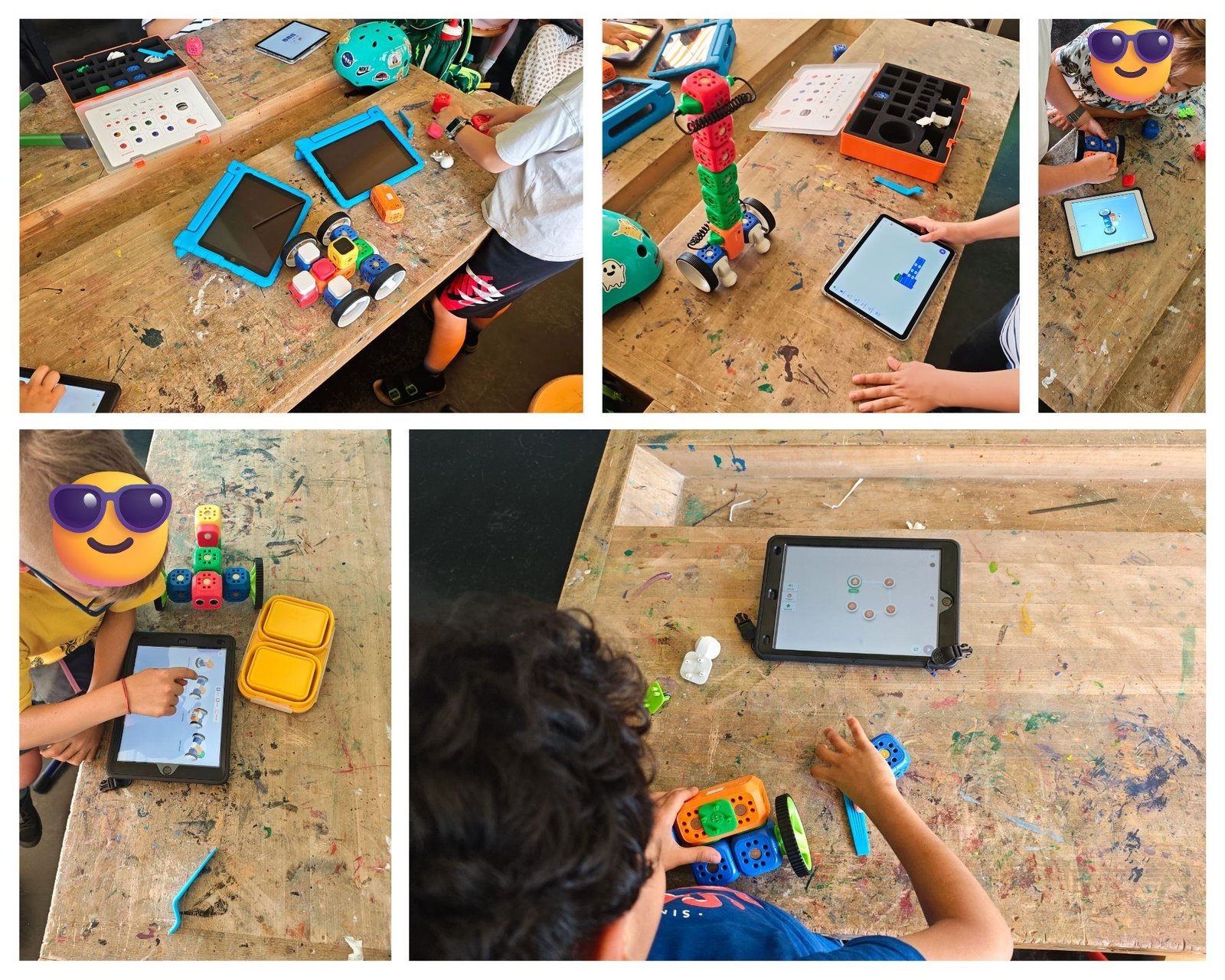
What the children do: Working in pairs, the children build a robot car with Robo Wunderkind. On the iPad they put colourful picture blocks together and tell the robot what to do. They don’t need to be able to read yet. By the end, the robot stops in front of obstacles and follows a line.
The goal: Your child understands that a program is a series of steps, and that the order matters. At the end they say: “I can tell a robot what to do.”
Semester 2 · Robot pros
What the children do: The tasks get bigger. The robots use two sensors at once, count points and drive through an obstacle course. At the end there is a small team competition.
The goal: Your child learns that mistakes are normal. They try things out, find the mistake and improve their program. Fair teamwork with rules is part of it too.
Year 2: Building together, first programs
Semester 3 · Our robot city
What the children do: Each team builds part of a city, for example a parcel service, a traffic light or the waste collection. In the end, everything works together. Every school year has a new theme, such as a robot zoo or a Mars mission.
The goal: The children plan for themselves, make their own decisions and create something big together.
Semester 4 · From robot to code
What the children do: Your child programs their own stories and small games on the iPad. Characters move, talk and react. The robots join in.
The goal: Your child learns the principle behind every app: “When I tap, then … happens.” With that, they are ready for the first real mini computer.
Year 3: The micro:bit mini computer
Semester 5 · My mini computer
What the children do: The micro:bit is a computer the size of a matchbox. The children program its lights, buttons and sensors. It becomes a dice, a step counter and an alarm system. Two micro:bits even send each other messages by radio.
The goal: Your child understands how every computer works: something comes in (input), the program decides (processing), and something comes out (output).
Semester 6 · First real electronics
What the children do: The children connect small lamps, buzzers and small motors to the micro:bit. This is done safely with crocodile clips, without any soldering. One project is a plant guard that reports when the soil is dry. They also take a first look at “real” program code.
The goal: Your child experiences that code and technology belong together: the program controls real components.
Year 4: Inventing for themselves
Semester 7 · My own invention
What the children do: Your child picks a small problem from school or everyday life and builds a device that solves it. The way there: idea, sketch, build, test, improve.
The goal: Your child works like real engineers and realises: “I can invent something myself.”
Semester 8 · Inventor fair & STEM diploma
What the children do: The children finish their invention, design a small poster and present it to parents and teachers.
The goal: At the end of primary school, every child receives their STEM diploma listing all completed modules. They are proud of what they have learned and eager for the next step.
What every module has in common
- 8 sessions per module, the children work in teams of two.
- We bring the materials: robots, kits and iPads.
- Joining is possible every semester: each module starts with a short review. Experienced children help new ones.
- A certificate for every module: with your child’s name and the next step.
- Robot show at the end of the semester: the children show what they have built. Parents are warmly invited. We only photograph robots and hands, no faces.
After primary school
Year 4 is not the end. Your child can continue their learning path at one of our MINT-SmartLab locations. We will announce the locations soon.
- Electronics with Arduino (10+): building circuits and controlling them with the Arduino and real program code.
- 3D design & 3D printing (11+): designing their own objects on the computer and printing them.
- Drone master course (12+): building, setting up and flying a drone themselves.
Read more about our offer for schools on the STEM after-school care page.
Frequently asked questions
Does my child need any prior knowledge?
No. The learning path starts in Year 1 without any prior knowledge. In the first semester the children don’t need to read yet, because they program with picture blocks.
Can my child join later?
Yes. Joining is possible every semester. Each module starts with a short review, and experienced children help new ones.
What does the school need to provide?
A room. We bring the trainers, robots, kits, iPads and even the internet.
Bring the learning path to your school?
We plan every module together with your school. In a short, free conversation we clarify group size and times.